
On this page2 sections
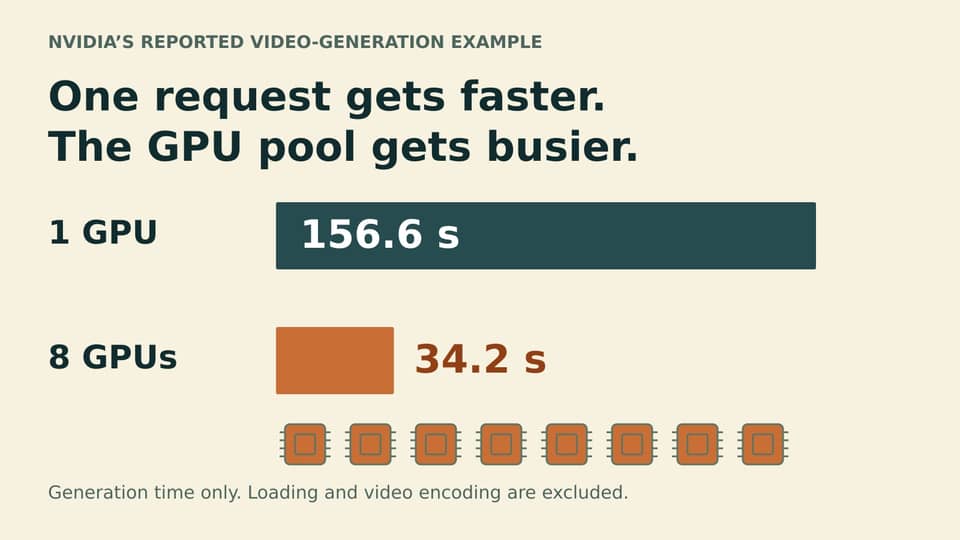
One person gets their video sooner. What happens to everyone waiting behind them? That is the service question inside NVIDIA's report of a generation workload dropping from about 156.6 seconds on one GPU to 34.2 seconds on eight. Several devices cooperate on one video; the team running a busy service also needs to know how much useful work the whole pool finishes.
NVIDIA published the measurements in its September 21 technical report, using Cosmos 3 Nano video generation and a distributed TensorRT model behind one Dynamo-Triton endpoint. These are the vendor's measurements for that workload, not an AIOpsSRE test or a general promise for any model given more GPUs.
The capability already appears in the 26.07 release notes. September 21 dates the published demonstration, not the container's release.
One request, several GPUs working together
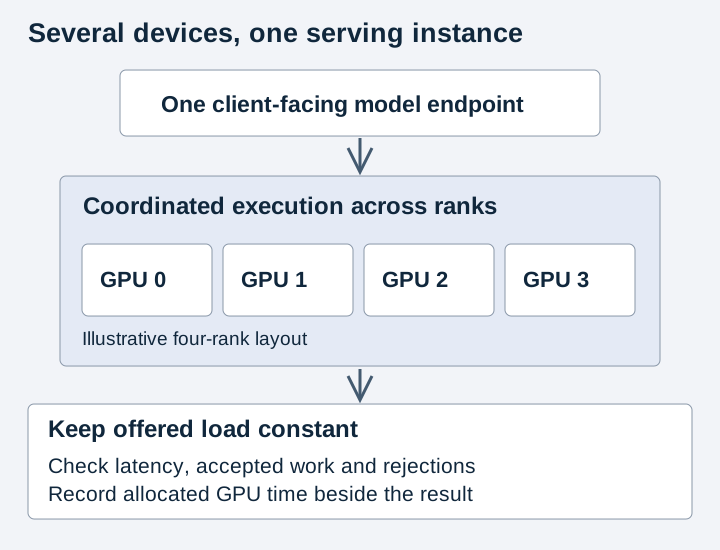
The application calls one named endpoint while a model instance coordinates work across several GPUs. The backend documentation describes TensorRT working with NCCL collectives, operations that exchange or combine data between those devices. The engine must already support distributed execution. Changing the serving configuration cannot turn an arbitrary single-device engine into a working distributed one.
That single address simplifies the client's job. Behind it, a slow request may still be waiting for several devices to cooperate. The model-instance configuration and device observations help an operator follow the wait past the convenient endpoint name.
Keep the queue in the comparison
NVIDIA's measured interval covers generation after warmup and excludes model loading and video encoding. It says something useful about that stage. A person waiting for a usable video may also wait for the other stages, and a shared service must account for requests arriving while this one runs. The reported number does not establish concurrent throughput or cost per video.
Picture a hypothetical service with eight GPUs. Giving all eight to one generation may shorten that person's wait while later requests queue. Giving smaller groups different requests may finish more videos in the same period, if the model and supported configurations permit it. Eight independent replicas are a meaningful alternative only when the model fits on one device and that arrangement is supported.
Compare feasible arrangements with the same arrivals, output requirements and acceptance criteria. Over a fixed period, record latency, accepted completions and rejected requests, alongside waiting and reserved device time. Count a video as useful completed work only after the normal quality checks. The Linux performance guidance explains why the same incoming workload matters: a system can look faster simply because less work reached it.
If one device cannot hold the model, compare supported distributed arrangements. If it can, committing eight GPUs to one urgent video may still be the right trade when that delivery matters more than the other waits. The measurement gives the team a promising way to shorten generation. Watching the queue tells them what they are buying with the extra devices.
Sources & context
Sources linked in this article. Read alongside the author’s analysis; a citation does not independently verify a publisher’s claims.
- September 21 technical reportdeveloper.nvidia.com
- 26.07 release notesdocs.nvidia.com
- backend documentationdocs.nvidia.com